
Using the CPC Logistics Employee Portal
and accessing your paycheck
Accessing the Employee Portal
To access the CPC Logistics Employee Portal, commonly know as “Vista”, please go to the CPC Logistics home page; https://cpclogistics.com/ and click or tap the link in the upper right hand corner for the “Employee Portal”.

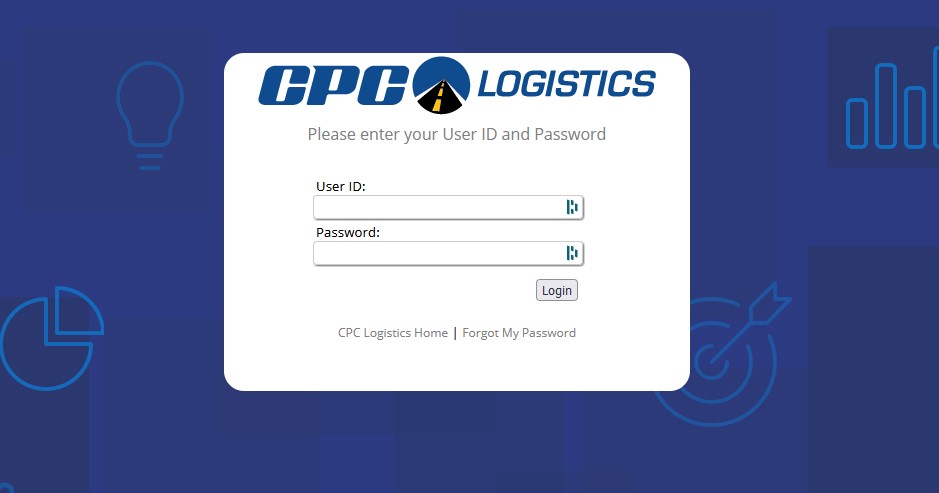
Once you follow the link, you will be redirected to the Vista Website. This is your Employee Portal and you can bookmark this site directly. The Direct web address is https://vistahr.callcpc.com/pds/login/login.aspx and should look like the image below. To Access the system, you need to enter your Employee Number and password. These will be provided to you by your Driver Manager upon completion of your Orientation.
Resetting your password
To Reset your Employee Portal Password.
- Navigate to the Employee Portal Website. Link Here
- Select the “Forgot My Password” option.
- Located below the “Login” button.
- On the next page, enter your User ID.
- This is your CPC Logistics Employee ID number.
- Usually a 5 digit number
- Click or Tap “Reset Password”
- The system will send an email to your email address on file with further directions.
- If you do not receive your password reset email, please check your emails spam/junk folder.
- If your email has changed, or you no longer have access to the email on file, Contact your Driver Manager for further instructions.